
Uncategorized
How to Make a Roadster Ramp Car AI Video
Start with a clear car photo, describe the ramp stunt in three beats, and review the car, ramp, and landing in your AI video draft.
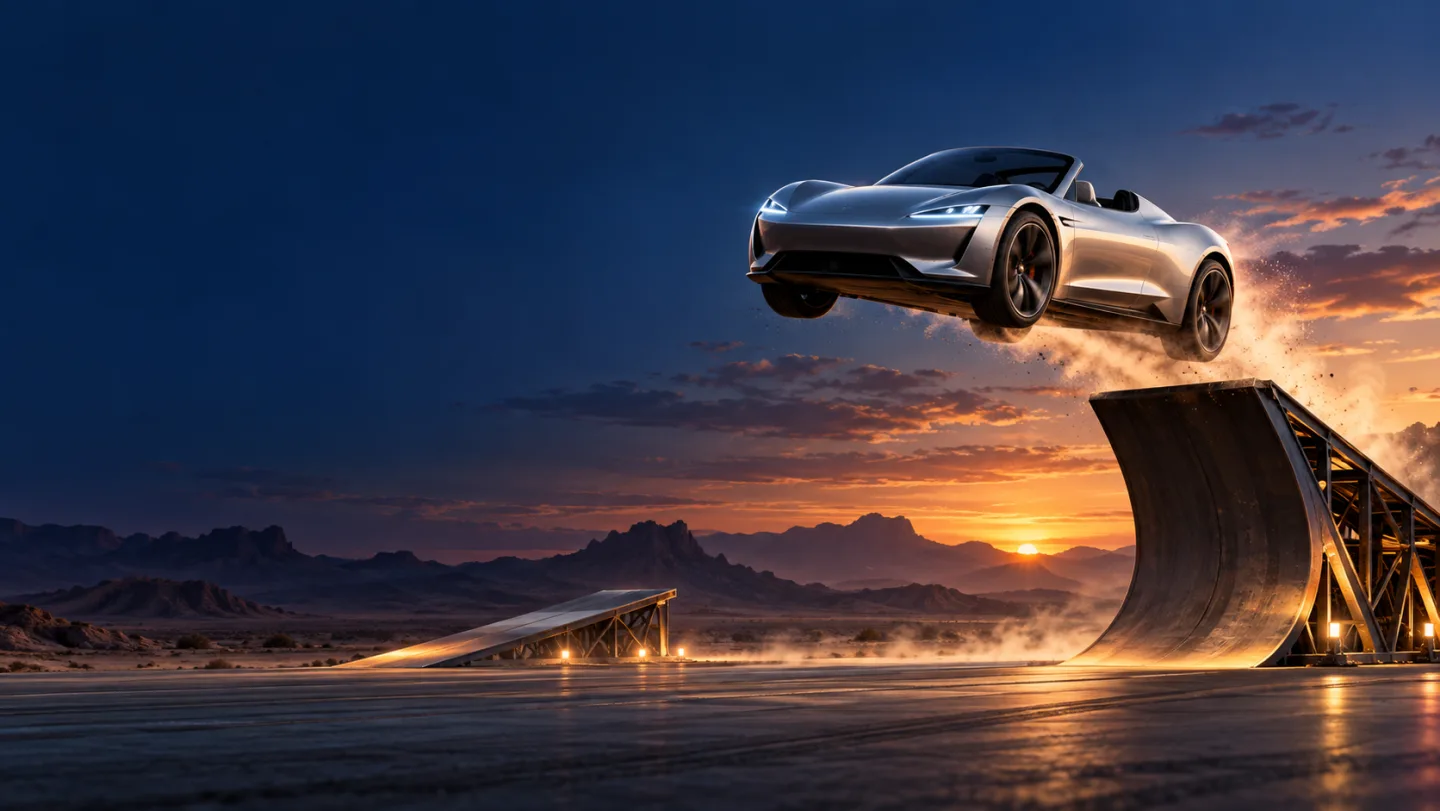
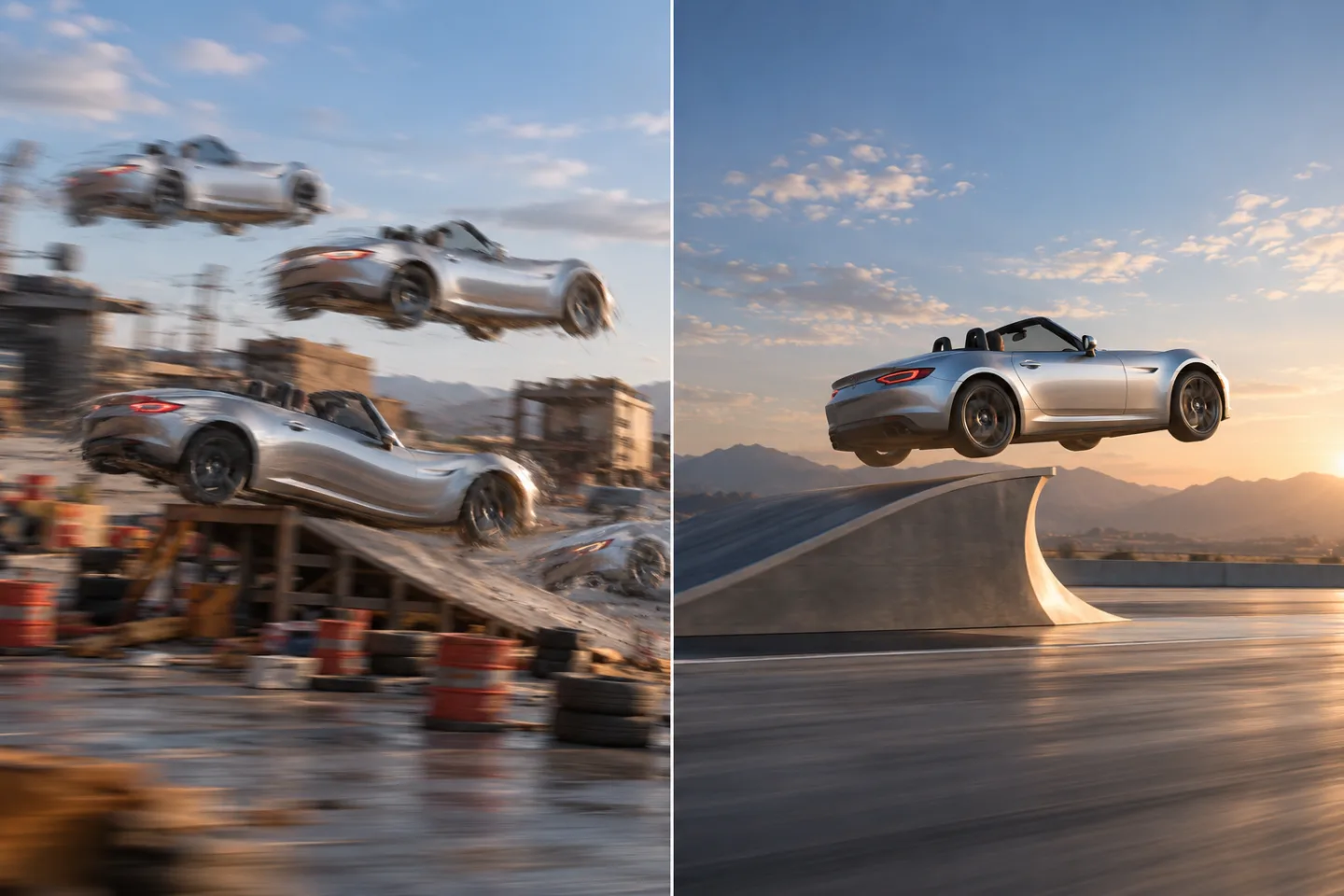
A “roadster ramp car” clip in this guide means a short, fictional AI video: a sports car approaches a steep curved ramp, rises into an exaggerated stunt, then lands in a clean final shot. This is an image-to-video workflow, not a guide to building a physical ramp, modifying a car, or attempting a real stunt. The search phrase is used in different ways, so first decide which version you mean.
For a controllable first draft, start with one clear car image, describe the action in three beats, and ask for one camera move. Then check the car shape, ramp path, and landing before you add effects. Try the process in the Image to Video workspace, explore other generation paths in the AI Video workspace, or visit the Trending AI Video homepage to choose a tool.
What Does “Roadster Ramp Car” Mean?
The phrase can describe either a real-world vehicle-and-ramp question or an AI-video idea. Current search results include car-photo-to-video templates and prompt guides, while community discussion includes people asking which AI tool could make a dramatic Roadster-style clip. That is useful evidence of how the phrase is being used; it does not establish search volume, one original creator, or a single official template.
This page focuses on the generative-video interpretation. The goal is a short visual sequence with a recognizable sports car, a dramatic curved ramp, one readable airborne move, and a stable landing. The scene may look cinematic, but it is an illustration made from a prompt and reference image. It does not show a real vehicle proving a capability, and it is not affiliated with an automaker.
If you meant a real road, workshop, loading ramp, or vehicle stunt, stop here: this creative guide is not engineering advice. A real structure or stunt needs qualified professionals, appropriate permissions, and a controlled environment. Do not use a prompt as a substitute for safety planning.
The Simple Formula: Car, Ramp, Action, Camera, Landing
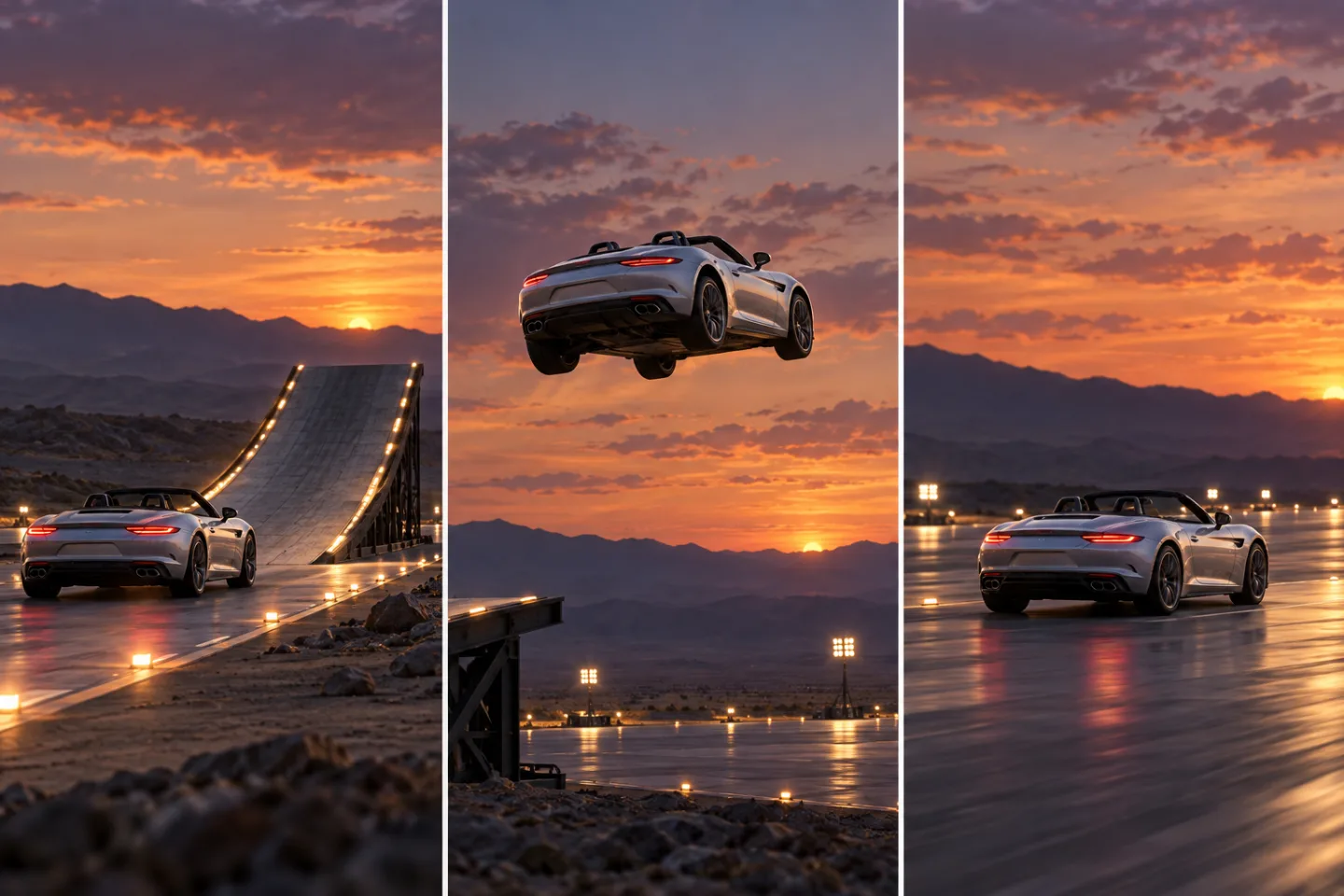
A successful short clip needs a viewer to understand five things in order: which car is the subject, where the ramp is, what the car does, how the camera follows, and where the action ends. Write one compact instruction for each. If every sentence adds a new effect, the model may distribute attention across details that do not matter to the shot.
Think of the clip as three story beats rather than a list of stunts:
- Approach: establish the car and the start of one curved ramp.
- Action: show one climb and one controlled turn, jump, or flip.
- Landing: return the car upright to a broad, stable surface and hold the frame.
The order matters. When the landing is not specified, a model may spend the whole clip on the launch. When the ramp is described as “huge, vertical, looping, twisting, and endless,” its geometry can change between frames. Use a clear C-shaped ramp or a single smooth arc, then save the visual complexity for lighting and background.
Choose a Reference Photo That Gives the Car Room
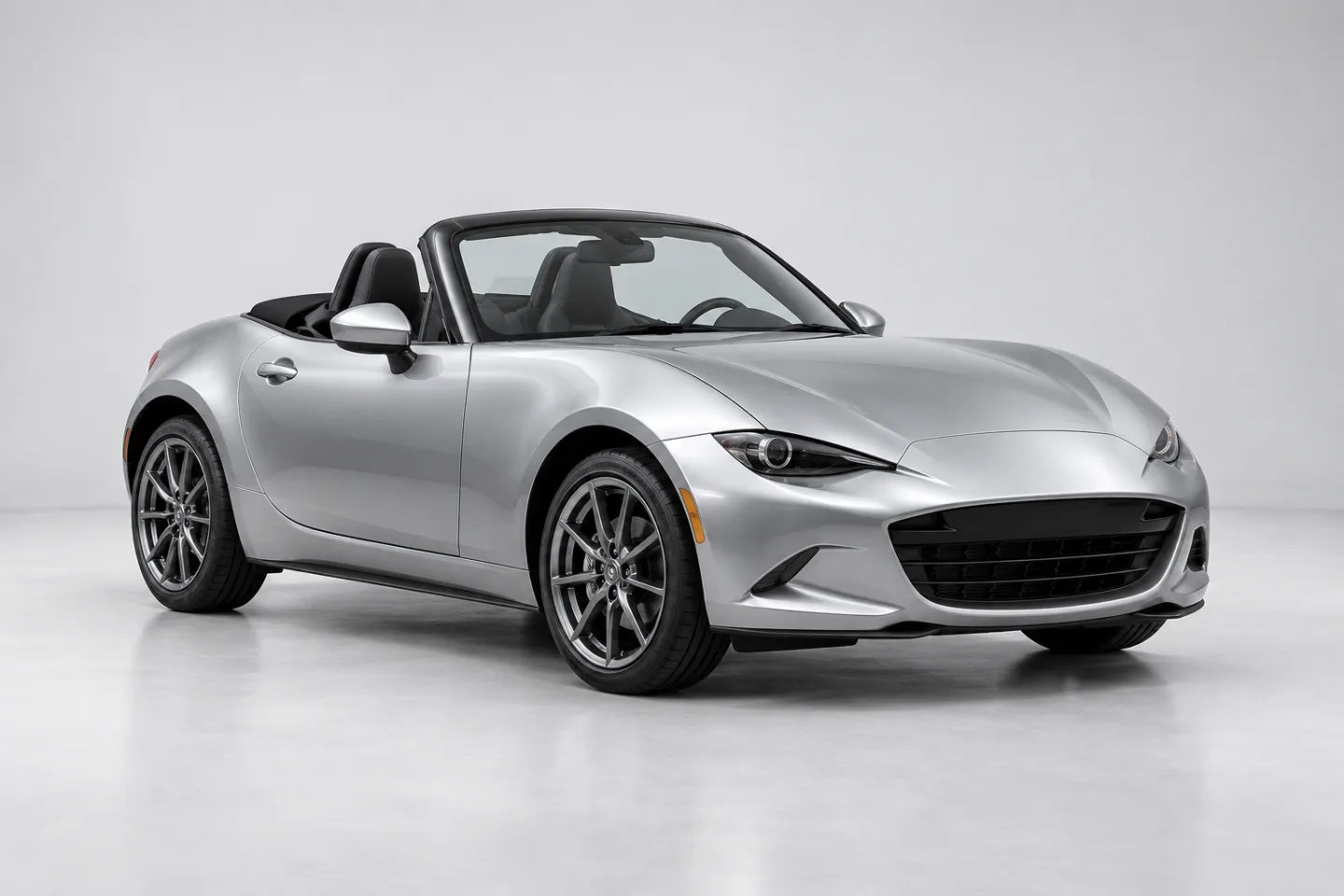
Image-to-video is a practical starting point when you want the same vehicle to anchor the clip. A reference image gives the model a visible shape, paint color, wheel layout, and starting composition. It does not guarantee that every detail will stay identical during motion, so choose an image that makes the important features easy to read.
Use a single vehicle against a simple background. Keep the entire car in frame, including both bumpers and all four wheels. A front three-quarter view is easy to recognize, while a rear three-quarter view gives the model a clear tail and launch direction. Leave open space in front of the car for the ramp approach and above it for the jump. Avoid harsh reflections, heavy motion blur, other cars, tiny distant subjects, or a crop that cuts off a wheel.
If the car belongs to you, use a photo you have the right to edit. If it depicts someone else's vehicle or carries a recognizable badge, consider using an unbranded visual or removing protected marks where appropriate. Do not imply endorsement by a manufacturer. Keep the image as the visual reference; add any exact logo or lettering later only if you are authorized and it is important to the brief.
How to Make a Roadster Ramp Car AI Video: Six Steps
Use a short draft first. The point of the first render is to test the sequence and discover what the model changes, not to create a finished advertisement in one attempt.
Step 1: Pick one car image
Choose a clear photo or an image you created. Check that the whole car is visible, the camera angle fits the movement, and the background does not contain private details or marks you do not want reproduced. For a first try, a side or three-quarter view is easier to animate than a tight close-up.
Step 2: Decide the output shape
Choose portrait or landscape before you write the prompt. Portrait 9:16 gives a tall ramp more room and is suited to vertical short-form viewing. Landscape 16:9 has more space for a long tracking shot or a wide landing. Keep the car near the center-safe area if you may crop the result later. The exact aspect ratios and controls available can depend on the selected model, so check the workspace before generation.
Step 3: Pick one stunt beat
For the first render, choose one main movement: climb the ramp and jump, follow a short curve and bank, or make one simple flip before landing. Do not ask for a loop, a barrel roll, a second jump, a camera orbit, a smoke burst, and a transformation in the same few seconds. Add a second effect only after the basic motion reads clearly.
Step 4: Write the prompt in visual order
Name the car and its visual anchors first. Then state the starting position, ramp path, action, camera move, landing, and constraints. Use direct verbs such as “approaches,” “climbs,” “arcs,” and “lands.” Avoid contradictory instructions such as “locked camera” and “fast orbit” in the same shot.
Step 5: Generate one draft and inspect three moments
Open the Image to Video workspace, upload the reference image, choose an available model and settings, and enter one focused prompt. Model availability, duration, quality choices, and credits can change; check the current interface before generating. Inspect the opening, the middle of the stunt, and the final frame. Do not judge the clip only by its most dramatic instant.
Step 6: Change one thing and review again
If the car morphs, simplify the action or choose a stronger source photo. If the ramp disappears, specify its position and curve more clearly. If the landing is missing, shorten the stunt and ask for a final hold. Change one variable at a time so you can tell whether the revision helped. Finish the edit in a video editor: trim the strongest take, set the crop, add licensed audio if needed, and place accurate text or branding in post.
A Prompt Template You Can Reuse
Keep a stable order and fill in only details that fit the chosen image. The constraints below request a fictional visual effect; they do not make a real stunt safe or physically possible.
Create a short fictional AI-generated roadster ramp video from the reference image.
Keep the same unbranded [color and body style] sports car, including its body proportions,
paint color, roofline, wheel count, and wheel placement. Begin with the car at the foot
of one smooth curved ramp in a clean, empty cinematic set. The car approaches, climbs
the curve, makes one controlled [small bank / short jump / single rotation], then lands
upright on a broad level platform. Use one steady low side-follow camera and finish with
a two-second stable hold on the complete car. Keep the ramp visible. No extra vehicles,
no people, no logos, no text, no smoke covering the landing, and no scene change.
This is fictional concept imagery, not real stunt footage.
The template deliberately limits the action. Replace the bracketed movement with one option, then adjust the duration and framing to the controls shown in the generator. A “single rotation” can be difficult for a model to preserve while it also follows the car and ramp; if that happens, try a restrained bank or a short jump instead. A smaller readable action often makes the clip feel more convincing than a complicated move with inconsistent geometry.
Five Roadster Ramp Prompt Variations
These prompts are starting points, not guaranteed recipes. They assume you have permission to use the reference image. Keep one prompt per draft so you can compare what changed.
Prompt 1: Clean ramp jump
Use the reference image as the identity anchor for one unbranded silver roadster.
Keep the same body shape, paint, roofline, and four wheels. In a wide blue-hour test
arena, the car rolls toward one smooth C-shaped ramp, climbs the curve, makes one short
airborne arc, and lands upright on the empty runway. Low side-follow camera, steady
movement, clear silhouette, then hold on the landed car. No second vehicle, no people,
no logos, no text, no camera orbit, and no real-world documentary framing.
Prompt 2: Vertical social clip
Make a portrait 9:16 fictional concept video using the roadster in the reference.
Keep the full vehicle visible and consistent. Start behind the car at the base of one
curved ramp; follow from a low rear three-quarter camera as it climbs and makes a small
controlled bank near the crest. It returns upright and lands on a broad lit platform.
Leave headroom above the ramp, avoid cropping the wheels, and hold on the final frame.
No logos, text, people, traffic, debris, or additional stunts.
Prompt 3: Minimal sci-fi set
Animate the same unbranded dark-blue roadster from the reference image. Place it on a
single clean curved ramp inside a quiet black studio with thin white floor lights.
Show the car approach, travel smoothly up the curve, make one gentle jump, and settle
upright on a level platform. Use a locked wide camera with the full ramp in view. Keep
the car shape and wheel positions stable. No sparks, smoke, extra objects, text, logos,
or cut to another location.
Prompt 4: Warm sunset concept art
Create a cinematic but clearly fictional roadster ramp scene from the reference photo.
Preserve the same silver paint, silhouette, and wheel layout. In a quiet desert test
set at sunset, the car follows one smooth raised ramp, makes a brief airborne arc, and
lands upright on a broad empty runway. Use a slow side-tracking shot with warm rim light
and a stable final hold. Keep the stunt modest and the landing visible. No manufacturer
marks, people, text, explosions, or claims that this is real event footage.
Prompt 5: Two-shot edit plan
Create a short fictional roadster ramp concept in two simple shots. Shot one: a wide
side view of the same unbranded roadster approaching and climbing one smooth curved
ramp. Shot two: the car makes one small controlled jump, lands upright on a level
runway, and holds in a clean front three-quarter view. Match the silver paint and car
proportions between shots. Keep the set empty and the camera steady. No logo, text,
people, smoke hiding the car, or additional action.
Keep the Car Recognizable Through Motion
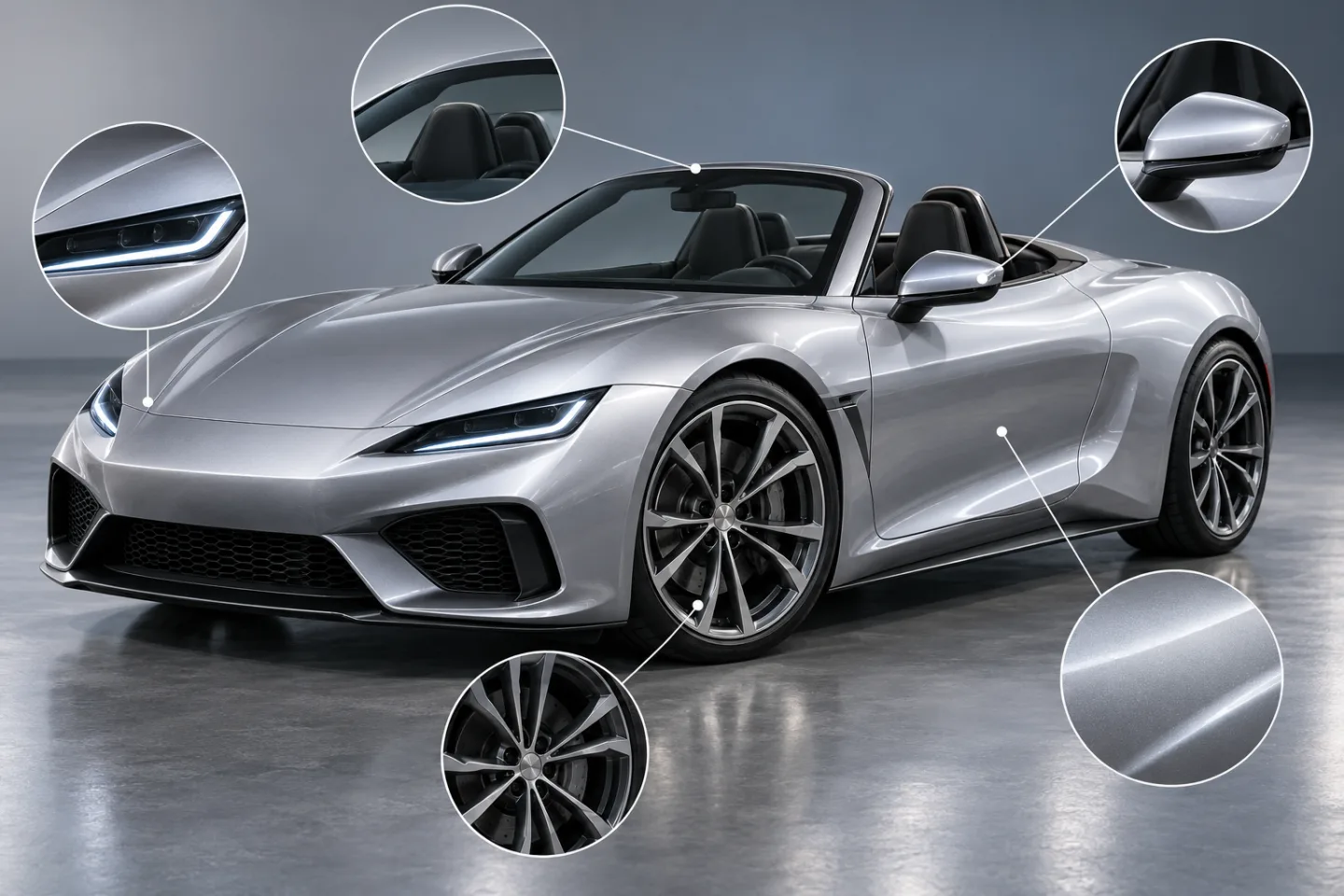
A still car is easier to describe than a moving one. Motion introduces new angles, hidden surfaces, reflections, and wheel rotation, so a model may redraw details while it invents the next frame. Give it a short list of identity anchors: paint color, roofline, headlight shape, wheel count, and a distinctive but non-branded silhouette. Do not list every bolt or trim piece. A long inventory can compete with the actual movement.
Then make the movement easier to follow. Keep the same car in one shot, choose a simple camera path, and let the vehicle rotate only as much as the story needs. If a full flip causes the car to change shape while upside down, reduce the rotation, use a shorter airborne moment, or make the camera do more of the revealing. You can also create two separate shots and cut between them rather than asking a single generation to preserve every angle in one continuous take.
Design the Ramp So the Viewer Can Read It
The ramp is a visual path, not an engineering plan. Give it one recognizable curve, a visible starting point, and a broad landing area. Mention whether the curve is a simple C shape, a shallow arc, or a short rise. A prompt that changes from a straight launch track to a loop to a vertical wall gives the model conflicting geometry.
Keep the car and ramp separated clearly in the frame. A dark car against a dark ramp can disappear; a bright ramp edge or a lighter background can help the path read. Avoid placing the landing behind a cloud of sparks, dust, or smoke. If you want atmosphere, keep it around the edges of the shot so the viewer can still see the wheels touch down.
For a first version, avoid describing a vehicle driving upside down, using thrusters, or behaving as if it were under real-world gravity-defying control. These details can be part of unmistakable fantasy concept art, but they make motion and identity harder to evaluate. Mark such a scene as fictional and do not present it as footage of a real vehicle.
Troubleshooting Common Generation Problems
The car changes model or color
Use a cleaner reference image and name only a few visual anchors. Remove extra vehicles and dramatic camera changes. If the model still redraws the car during a flip, ask for a smaller bank or split the sequence into two shots.
The ramp changes shape
Describe one curve and keep it in the same position: “one smooth C-shaped ramp on the left, landing runway on the right.” If the background shifts, simplify the scene and avoid adding multiple locations or cuts.
The car floats instead of landing
Give the clip a destination and reserve time for it: “lands upright on the wide platform, wheels settle, camera holds.” Shorten the climb or remove the rotation. A final still moment makes it easier to see whether the action resolved.
The camera fights the car movement
Use a single camera verb. “Side-follow” means the camera tracks beside the car; “locked wide shot” means the camera stays still. Do not ask for a locked view and an orbit at the same time. If the model keeps losing the subject, choose the locked wide view first.
The result looks like real news footage
Use a stylized or clearly artificial set, avoid real event markers and branded overlays, and describe the result as a fictional AI scene. Do not add a fabricated date, location, endorsement, test result, or quotation. Add a clear disclosure where the publishing context or platform requires one.
Plan a Short Edit Before You Generate
A simple timing plan helps you spot missing beats in the draft. Treat these numbers as an editing guide, not model performance data:
- Opening: show the full car, the ramp, and the direction of travel.
- Middle: spend the largest part of the clip on one climb and one selected movement.
- Ending: leave a visible landing and a short steady hold.
If the car needs more time to reach the ramp, remove an effect rather than cramming in a second stunt. If you have editing tools, you can also generate an approach and a landing as separate clips, then cut them together with a clear transition. Check continuity across the cut: paint color, wheel layout, camera side, lighting, and ramp location should still make sense.
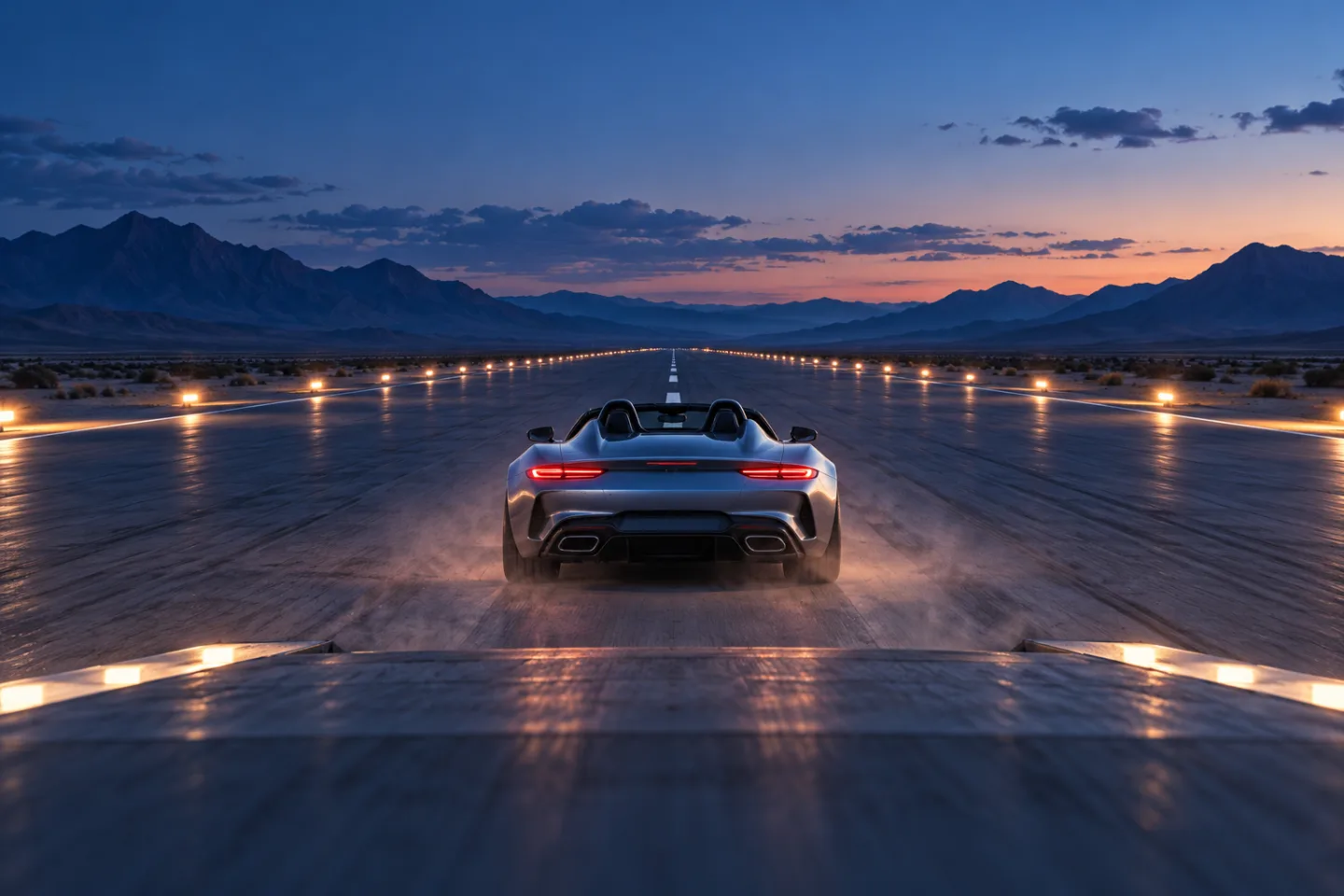
The short video below is a six-second editorial storyboard assembled from the five original still illustrations on this page. It is not a video-model generation, product demo, or real stunt recording.
For a related product-focused version of the same visual idea, read Roadster Ramp Food Video. For another reference-led workflow with a human subject, see the Chuttamalle AI Video Guide.
Image-to-Video or Text-to-Video?
Choose image-to-video when you already have a car image and want a visible reference for its starting appearance. It is a direct way to test how a model handles a known composition. It can still alter the car during motion, so review the result rather than assuming that the reference will be preserved exactly.
Choose text-to-video when the car, set, and visual style are all ideas you want to explore. That gives you more freedom but asks the model to invent more details at once. If the output invents the wrong car shape, create or select a still first, then animate from that image. The AI Video workspace is a useful place to compare available creation paths, while Text to Video opens a text-first workflow.
For an image-led draft, go to the Image to Video workspace. The selected model, duration choices, quality settings, and credit requirements are shown in the product interface and may change. Confirm them there before you submit a generation.
Keep the Result Clearly Fictional and Rights-Aware
Use images, logos, music, and likenesses only when you have the rights or permission needed for your project. If the prompt references a real vehicle brand, avoid implying the manufacturer made or approved the generated clip. A fictional ramp scene can be entertaining, but a generated result may alter details and should not be treated as evidence of how a real vehicle performs.
When you publish, label generated or edited material in a way that fits the context and the rules of the platform you use. Do not pass a synthetic stunt off as breaking news, real test footage, or an official vehicle reveal. If you are making a commercial spot, have the final claims, brand usage, and disclosure reviewed by the people responsible for that campaign.
Frequently Asked Questions
What is a roadster ramp car video?
It is a short video concept that puts a roadster into an exaggerated ramp sequence, usually an approach, a jump or turn, and a landing. Search results also use similar words for physical ramps or vehicle stunts; this guide covers a fictional AI-generated video workflow.
Do I need a Tesla Roadster photo?
No. Start with a car image you own or have permission to use. A generic unbranded roadster works well for a concept clip and avoids implying that a manufacturer endorsed the result. If you use a recognizable vehicle or badge, check your rights and the context before publishing.
Can I make the clip from one photo?
Yes, an image-to-video workflow can animate from one reference image. A single clear photo is a useful starting point, but it does not guarantee that every part of the car will remain unchanged throughout a jump or rotation.
What should I include in the prompt?
Name the car's visual anchors, describe one ramp shape, state the action in order, choose one camera move, and specify the landing. Add a short list of things to avoid, such as extra vehicles, text, logos, or smoke hiding the final frame.
How do I stop the car from morphing?
Use a clear source image, keep the car in one shot, reduce the number of actions, and describe a few important identity details. If a full flip causes major changes, try a smaller bank or make the action as two simpler shots.
Can I build or test a real roadster ramp using this guide?
No. This page is about fictional AI video creation and does not provide engineering, vehicle modification, or stunt instructions. A real structure or vehicle stunt needs qualified professional planning and a controlled, properly authorized environment.
Is the storyboard video a generated model output?
No. It is a short slideshow-style edit assembled from the original still illustrations on this page. It is included to show a possible order for the shots, not as a sample generation result.
Keep the First Version Simple
For a strong first attempt, choose a readable car image, make the ramp path obvious, and give the clip one main stunt and one clear landing. Review the car at the start, middle, and end, then revise only the part that failed. That makes the process easier to repeat and keeps the finished concept recognizable.
You can explore a related product-focused adaptation in Roadster Ramp Food Video, or see a different example of a photo-led creative workflow in the Chuttamalle AI Video Guide. Both illustrate how a defined visual subject and a simple action can become a more focused AI-video brief. To try the car workflow, open the Image to Video workspace or return to the Trending AI Video homepage to choose a tool.