Human NEON duo dance
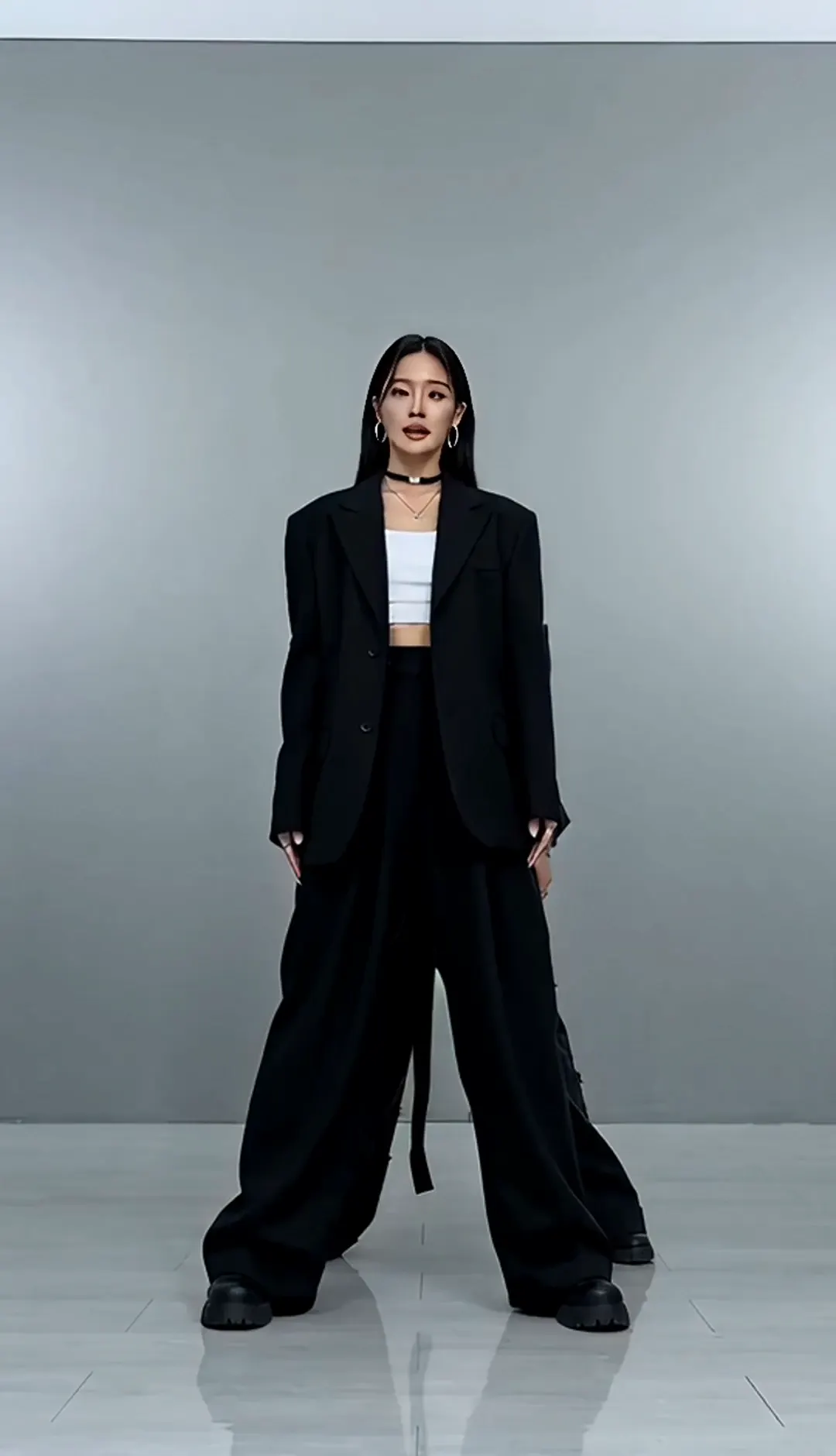
One dancer faces forward as a second enters; together they hit sharp arm accents, lower into a bent-knee pose, and finish with a sweeping arm gesture.
The NEON duo dance challenge
Updated October 17, 2026
A2O LITE released their debut song 'NEON' on October 13, 2026, and its two-person opening dance quickly became a TikTok challenge. AI versions, including cat remakes nicknamed 'A2O MEOW', started appearing on October 14.
This A2O LITE NEON dance AI generator turns one or two photos into a short solo or duo clip.
Create your dance
Two people perform a synchronized K-pop duo dance in a clean bright studio, sharp hip-hop opening moves, mirrored arm hits, confident poses, full-body shot, stable camera, 9:16.
New users start with free credits. Review model pricing before each generation.
Four ways to try the move
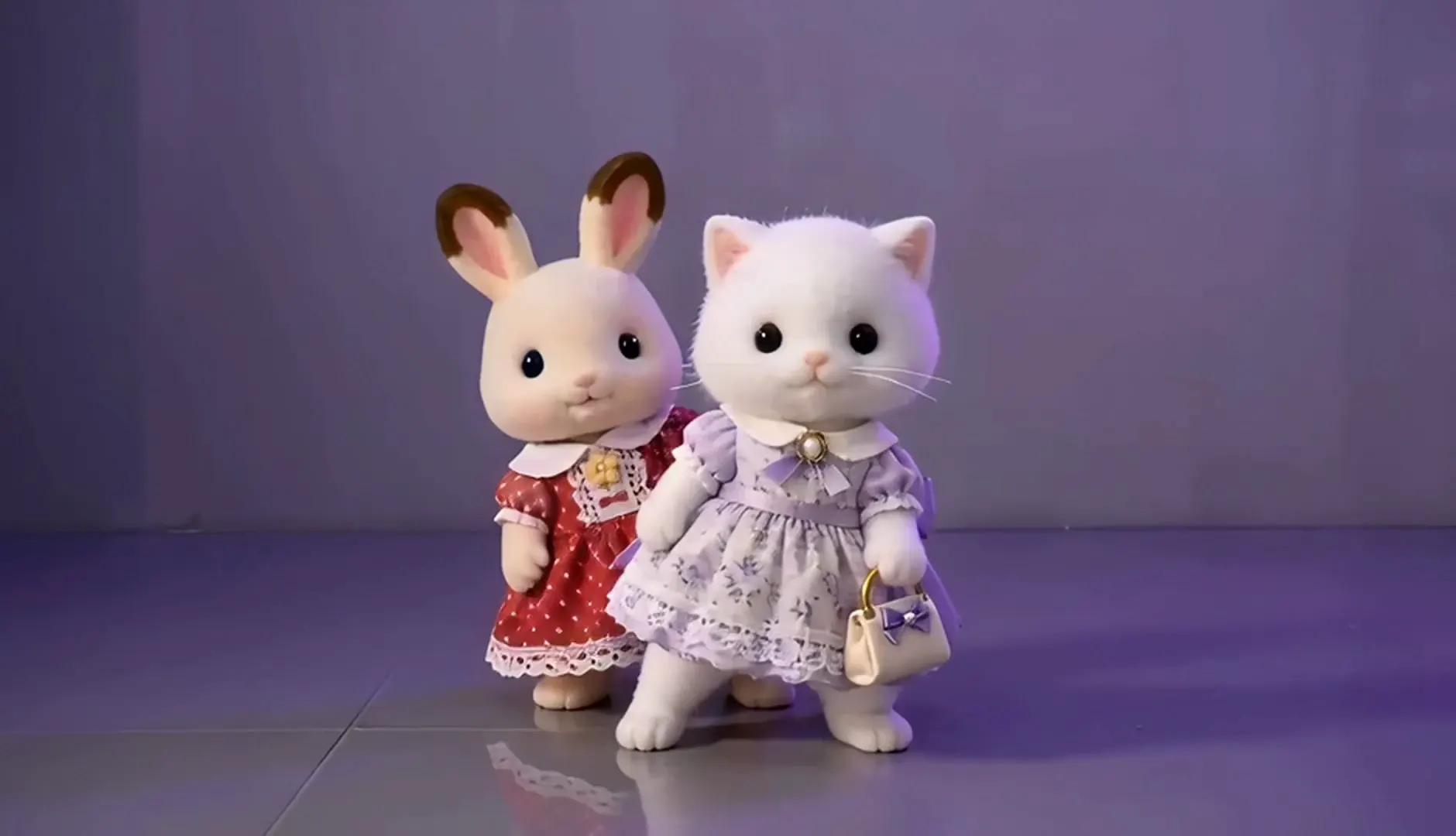
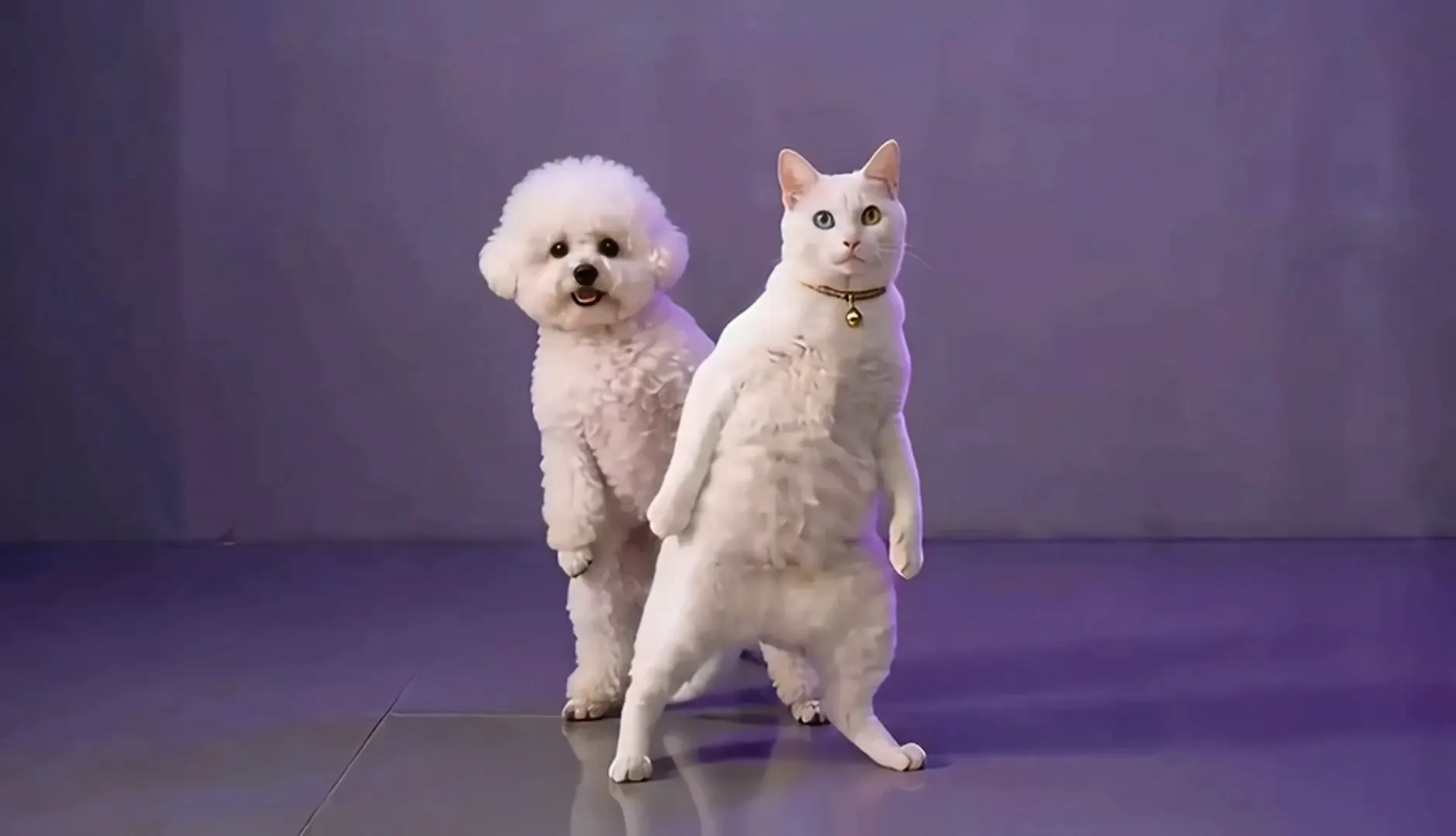
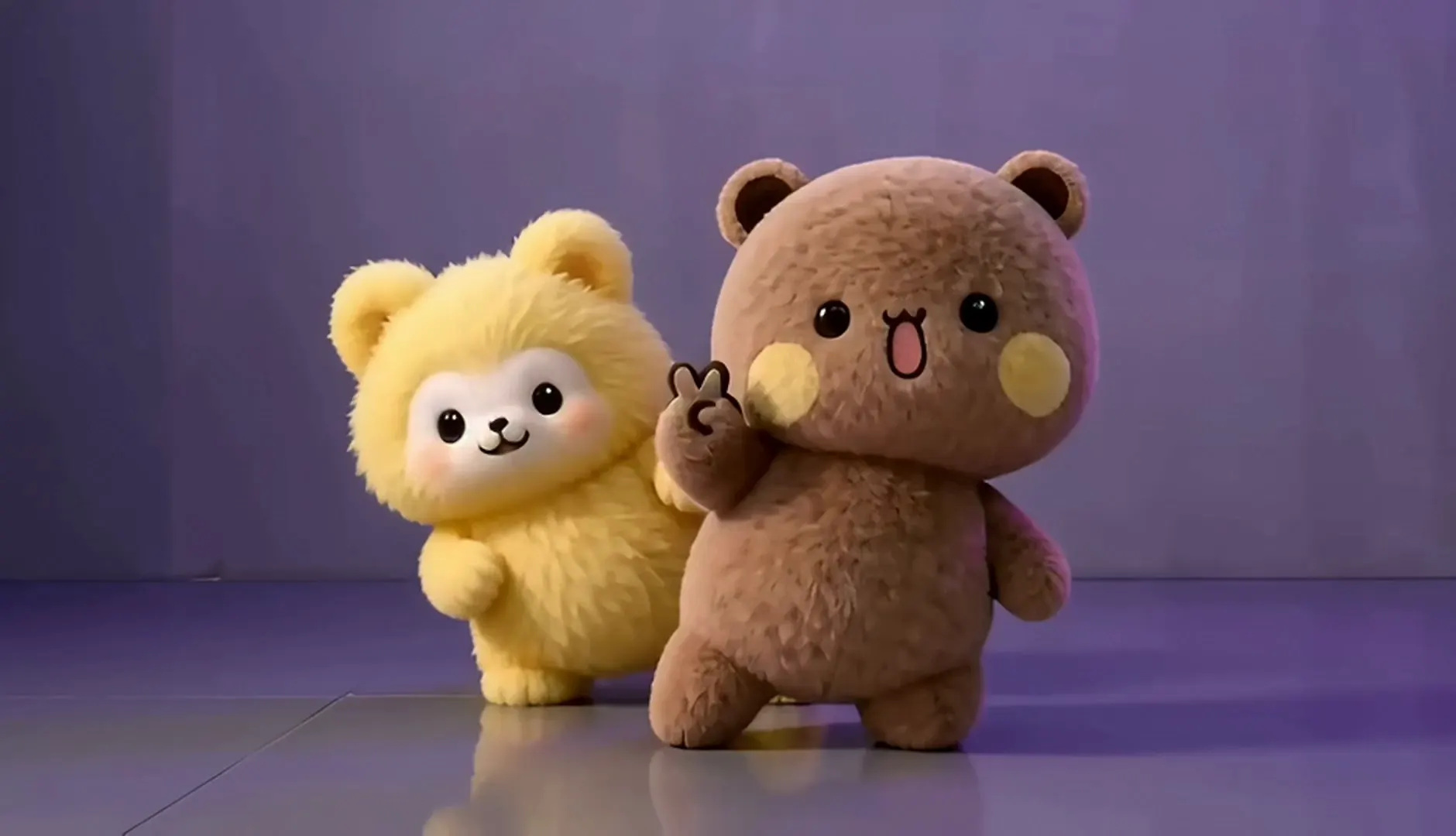
Preview the human, pet, and plush versions. These AI-generated samples use the same short duo-dance idea; tap one to hear its generated audio, or choose its settings in the generator.
One dancer faces forward as a second enters; together they hit sharp arm accents, lower into a bent-knee pose, and finish with a sweeping arm gesture.
A plush-looking bunny and cat step together, turn toward one another, and trade a playful lifted-paw pose.
A dog and cat face forward, turn into the move, and finish in a balanced side-by-side stance.
Two plush bears sway, turn partly away, and raise their paws before returning to a front-facing pose.
These four clips are AI-generated sample characters, not customer videos or official A2O LITE footage. Their music is not the original NEON recording. Generated results vary by model and uploaded photo.
Song and movement
“NEON” is A2O LITE’s debut song, released on October 13, 2026. Its opening is built around a two-person dance, which gave creators a compact section to learn, perform, remix, or reinterpret for short video. By October 14, early AI versions were also appearing, including pet remakes that people nicknamed “A2O MEOW.” This page focuses on that paired opening idea and makes a new visual from the photos you provide.
The supplied human example opens with a dancer facing the camera; a second dancer comes into frame as the sequence develops. Their arms rise into sharp accents, their knees bend to lower the pose, and the movement opens into a side step with a sweeping arm gesture. The human, bunny-and-cat, dog-and-cat, and bear clips all keep the pair visible; the animal and plush versions add small turns and lifted-paw or raised-arm poses that are visible in those samples.
For an AI clip, use clear photos with both subjects visible and similar framing. Generated faces, hands, paws, fabric, and timing may differ from the references.
AI samples do not contain the original NEON recording. Add the song with TikTok’s in-app music tools when available, subject to that platform’s current music options and terms.
From photo to short video
Use one photo for Solo or add a second for Duo. The form shows the active model and estimated credits before sending your request.
Add one clear photo for a solo version or two photos for a duo. JPG, PNG, WebP, and HEIC images up to 10 MB are accepted. A full-body image with even light gives the model more information about pose and proportions; images under 512 pixels on either side show a reminder because fine details may be harder to preserve.
Choose a clear, evenly lit portrait or full-body photo. JPG, PNG, WebP, and HEIC files up to 10 MB are accepted. Images under 512 pixels on either side show a reminder.
Choose Solo or Duo, then select Person, Pet, or Plush. Duo mode asks for a second subject photo. Pick Studio, Neon stage, or Street for a ready-made setting; Upload your own uses the second image slot as a background, so it is available with Solo mode.
Person, Pet, and Plush adapt the prompt to your references. Pet mode keeps the animals and synchronized movement in focus; Plush treats them as toys. Studio is bright, Neon stage adds violet and pink light, and Street uses an uncluttered urban backdrop.
Check the estimated credits, duration, resolution, and selected model before starting. If your balance is too low, the credit-pack dialog opens first. Sign in when prompted and your current photos and choices remain in the form. Confirm that you have permission to use the uploaded images before generating.
The estimate reflects the active model and settings. A low balance opens the credit-pack dialog; signing in keeps your current uploads and choices. Accept the photo-permission checkbox to enable Generate.
Preview the finished video, download the MP4, or copy its link. If a provider reports that a generation failed, the task service applies its configured credit refund and the page offers a retry. Generated movement and small visual details can vary between models and attempts.
Track progress, then preview, download the MP4, or copy its link. Failed tasks follow the service’s configured credit refund and offer a retry. Make another video without refreshing.
Keep the prompt focused on the paired dance and choose one clear background. A clean studio is the simplest choice when you want the people, pets, or plush characters to remain the main focus. A neon stage changes the light and mood, while a street setting gives the clip a more casual look. If you use your own background, upload a scene image only in Solo mode because Duo mode uses the second photo for another dancer. The model interprets those references and may not reproduce every background object precisely.
After generation, check that the faces, limbs, markings, and movement look right before you publish. The sample length is about fifteen seconds, while the actual output duration depends on the currently available model. Keep a downloaded copy if you want to trim the clip, make a caption, or place platform music on it later. The generated file is separate from the original song.
Try a variation
Each idea button selects matching subject and background settings. Add the right photo references in the generator to make the idea your own.
Upload one clear photo for each person and choose Duo. The prompt keeps two subjects in a synchronized formation, with mirrored arm accents and confident poses. Photos with similar framing and light can make the pair easier for a video model to interpret.
Choose Pet for a cat version inspired by the A2O MEOW nickname. Use Solo for one cat or Duo for two pet photos, and keep the source image sharp enough to show coat markings, face shape, and body position.
Try two reference photos for a dog-and-cat pair. The model is asked to preserve each animal as a separate subject and adapt the same NEON dance move. A simple backdrop and clear side-by-side framing help keep both pets visible.
Select Plush to turn toy or stuffed-character references into a soft, playful dance. Two plush subjects can use Duo mode; a single toy can use Solo. The model may reinterpret small accessories, stitching, or fabric texture.
Use a simple, uncluttered photo and set the background to Street or Studio for a clean workplace-inspired clip. Keep desks, screens, and private information out of the source image if you do not want those details in the generated result.
For an A2O MEOW cat dance AI or dog-and-cat duo, use sharp photos that show each pet clearly. A plush pair works best when the toys’ colors and silhouettes are visible. Similar framing helps a NEON dance AI generator keep both subjects distinct; Upload your own scene is available in Solo mode.
At a glance
The dates below separate the song release from the first visible wave of challenge and AI remakes. This page does not estimate audience numbers or attribute the dance to a specific member.
| Song | “NEON” by A2O LITE |
|---|---|
| Release date | October 13, 2026 |
| Challenge start | October 14, 2026 · early public posts |
| First AI versions | October 14, 2026 |
| Photos needed | 1 for Solo or 2 for Duo |
| Video length | About 15 seconds in the supplied examples |
The song date is October 13, 2026; the October 14 date here marks when early challenge and AI versions began appearing. The reference clips supplied for this page are approximately fifteen seconds each. A generated video may be shorter or longer because the available model controls its output duration.
Common questions
It is a short-form dance challenge inspired by the two-person opening routine in A2O LITE’s debut song “NEON.” The paired movement became a social-video format, and AI remakes—including cat versions nicknamed A2O MEOW—appeared soon after. This page makes an original AI visual interpretation from your photos.
A2O LITE released “NEON” on October 13, 2026. The opening duo dance challenge and early AI versions began circulating the following day.
Upload one photo for Solo or two for Duo, choose Person, Pet, or Plush, select a background, confirm image permission, review the credit estimate, and generate. The NEON dance AI generator creates a short vertical video for you to preview, download, or share.
Yes. Choose Pet and upload a clear photo of your pet. Use Duo for two pet photos, or Solo for one. The prompt asks the model to keep the reference animals’ recognizable features while adapting the dance; results vary by model and photo.
New users may have starter credits to try the video generator. Each generation uses credits based on the active model and settings. Review the displayed estimate before you generate; available credit packs and prices are shown in the purchase dialog.
No. The generated video does not include the original “NEON” recording. You can add music inside TikTok when you post, subject to the music options and terms available in your account and region.
Use only images you have the right to upload. Ask people shown in the photo for permission, and check the background for private details before sending an image to an AI video model. Review the generated clip before sharing; faces, gestures, timing, and small objects can be interpreted differently by each model.
Make it your version
Upload one or two photos, select a solo or duo setup, and review the credit estimate. Create a person, pet, or plush version of the NEON challenge and download the result when it is ready.
Inspired by the A2O LITE 'NEON' dance challenge. Not affiliated with A2O LITE or their label. Sample characters are AI-generated.