
Uncategorized
How to Make a Bottle Kick Challenge Video
Create a bottle kick challenge video with a clear three-beat storyboard, safe AI prompts, vertical framing, and a practical edit checklist.
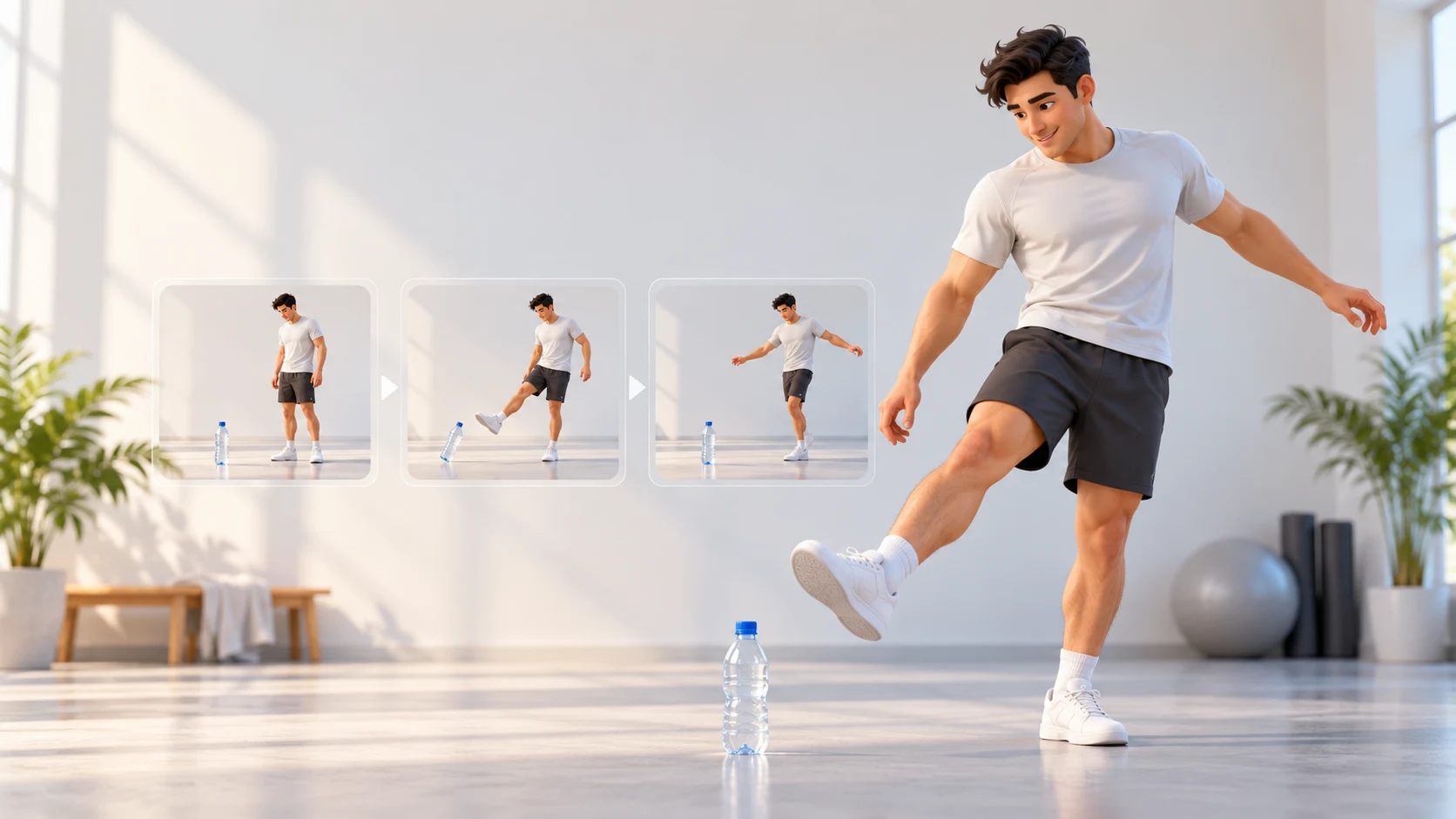
A bottle kick challenge video is a short martial-arts-style clip in which a foot appears to tap or knock over a bottle. Search results now use the phrase for AI video tutorials as well as challenge clips. The simplest way to make a polished version is to plan the three beats—setup, controlled contact, and finish—then create a clearly labeled AI scene with a fictional adult or an adult who has agreed to the edit.
You do not need to perform a risky stunt for the camera. This guide shows how to build the effect with image-to-video or text-to-video, write prompts that keep the bottle and subject in frame, and check the result before sharing. The illustrations and sample video below are original editorial assets, not outputs from a particular generator.
Start at the Trending AI Video home page or open the AI Video workspace to choose a mode. For a reference-led clip, open Image to Video; for a fully fictional scene, use Text to Video.
What Is the Bottle Kick Challenge?
The basic visual is easy to understand: a person stands near a bottle, makes a controlled foot movement, and the bottle tips or moves. In short-form video, the viewer usually expects a quick setup, a readable action, and a reaction or finishing pose. That structure works whether the clip is live-action, animated, or generated from a still image.
The phrase can point to different things. Some people are looking for a real martial arts challenge clip; current search pages also offer AI tools and tutorials that generate a similar scene from a prompt or photo. Those are different workflows. This article covers the AI version and uses “challenge” to describe the visual format, not to encourage viewers to attempt a stunt.
A bottle kick scene is also different from the 2019 Bottle Cap Challenge. The Bottle Cap Challenge focuses on the cap as the target while the bottle stays upright. Here, the bottle itself is the visible target or reaction. Use the exact distinction in your title and caption so viewers know what your clip shows.
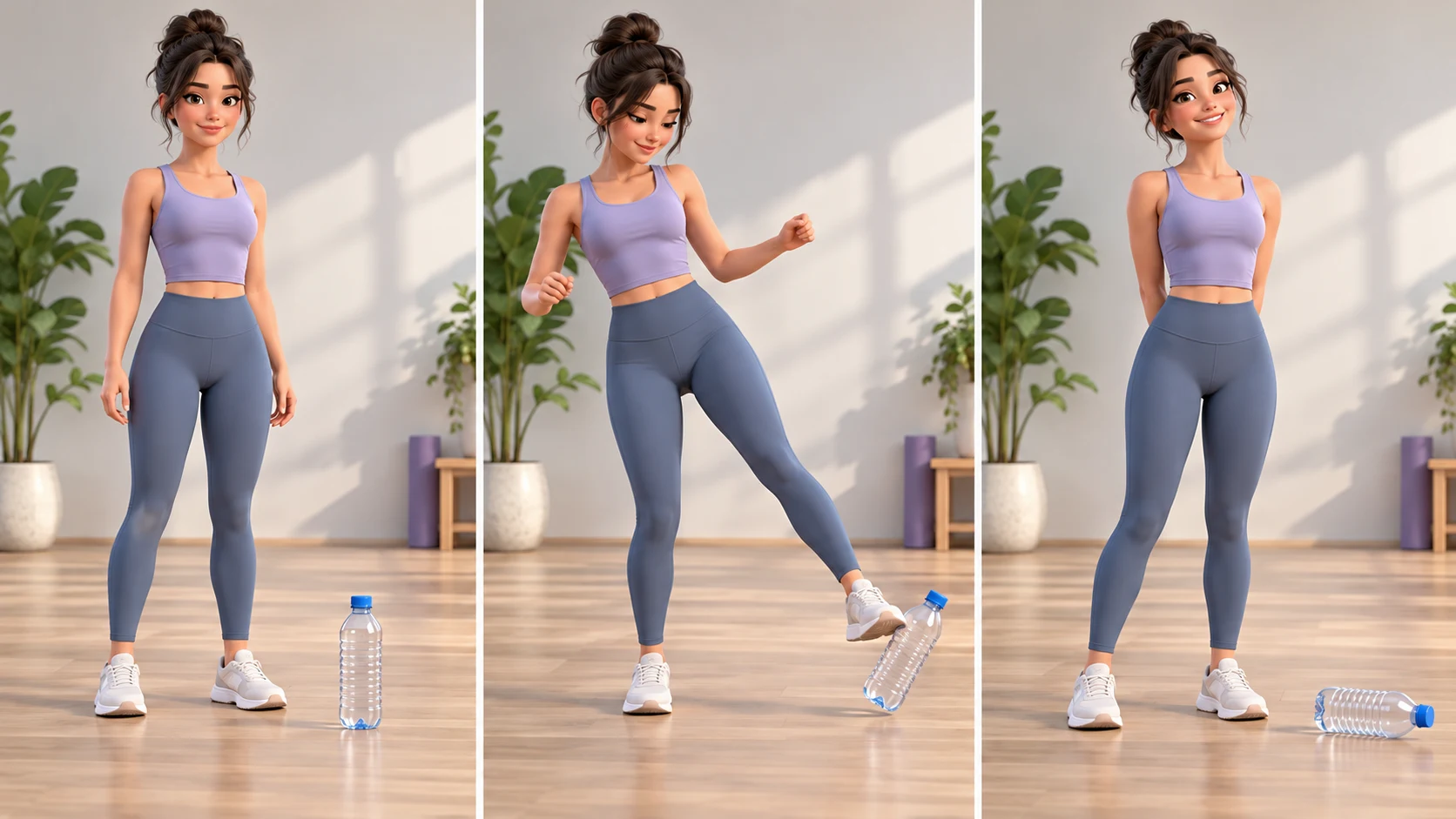
This framing matters because realistic synthetic footage can look like instruction or evidence. A simple caption such as “AI-generated bottle-kick scene” makes the format clear. Do not imply that a real athlete performed an event that was generated, or that a celebrity, coach, or brand approved the clip.
Why Make the Scene with AI?
AI video lets you build the visual without asking someone to kick an object for a camera. You can define the subject, setting, camera, bottle response, and ending in a prompt, then review the generated motion before deciding whether to publish it. That makes it useful for a playful edit, a storyboard, or a fictional short-form post.
It also has limits. The model may miss the foot-to-bottle contact, change the bottle shape, add a second leg, or make the person lose balance. A prompt cannot guarantee safe-looking movement or consistent anatomy. Treat each generation as a draft: inspect it, discard confusing takes, and avoid presenting an imperfect result as authentic stunt footage.
Current search pages for this query include AI generator pages, but the available public evidence does not establish how many people are making the format or whether it is broadly viral. Search visibility is not trend volume. The useful conclusion for a creator is narrower: viewers may arrive expecting either a real challenge clip or an AI tutorial, so explain which one you made.
Choose Your Creation Method
Use text-to-video when the subject can be fictional and you do not need to upload a photo. Describe an adult character, a plain setting, the bottle position, a small movement, and a steady ending. This is a straightforward choice for a concept clip because no real person’s likeness is involved.
Use image-to-video when you want an authorized reference image to guide the person or opening frame. Choose a full-body photo with clear space around the feet and the bottle, and get the adult’s permission for both the AI edit and its intended sharing. An image reference helps define the starting composition, but it does not guarantee that the face, clothes, or limbs will remain unchanged throughout the motion.
For either mode, start with one subject and one bottle. A clean frame is easier for the model to interpret than a crowded room, multiple people, several props, and a moving camera. If your first result misses the action, simplify one prompt element at a time instead of adding several new instructions at once.
Plan a Three-Beat Storyboard
Write the clip as three visible beats before opening a generator. The setup establishes who and what is in frame. The contact beat shows one small, legible movement. The finish gives the viewer a stable final image. This sequence makes the scene easier to follow and gives you clear points to inspect during review.
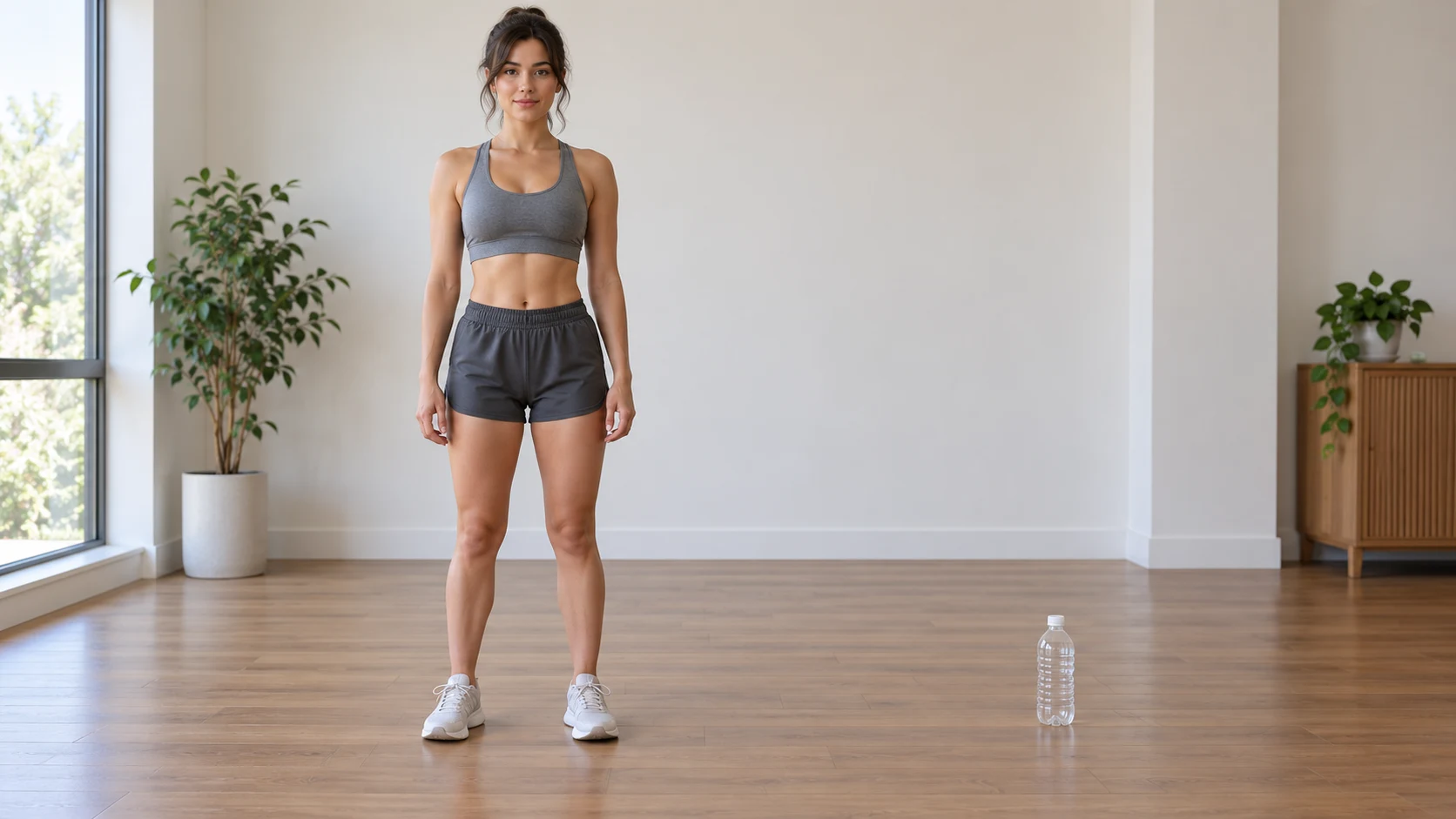
- Setup: A fictional adult martial artist stands in a relaxed, balanced stance. A lightweight empty bottle sits upright several steps away, fully visible near the lower center of the frame.
- Contact: The subject makes one slow, low foot tap toward the bottle. Keep the action small; the visual can imply contact without a fast or high kick.
- Finish: The bottle tips gently, and the subject returns to a stable stance. Hold the last frame briefly so the clip ends cleanly.
Keep the camera fixed for a first attempt. A push-in, orbit, whip pan, or slow motion can be added after the basic action reads. When both the subject and camera move at once, it becomes harder to tell whether the model followed the prompt or simply generated a different angle.
Prepare the Frame and Reference
For a vertical short, select 9:16 and leave margin around the head, feet, and bottle. Phone interfaces place icons and captions over parts of the image, so do not put the important contact at the extreme bottom edge. If you need room for title text, reserve a quiet area near the top and keep the action centered.
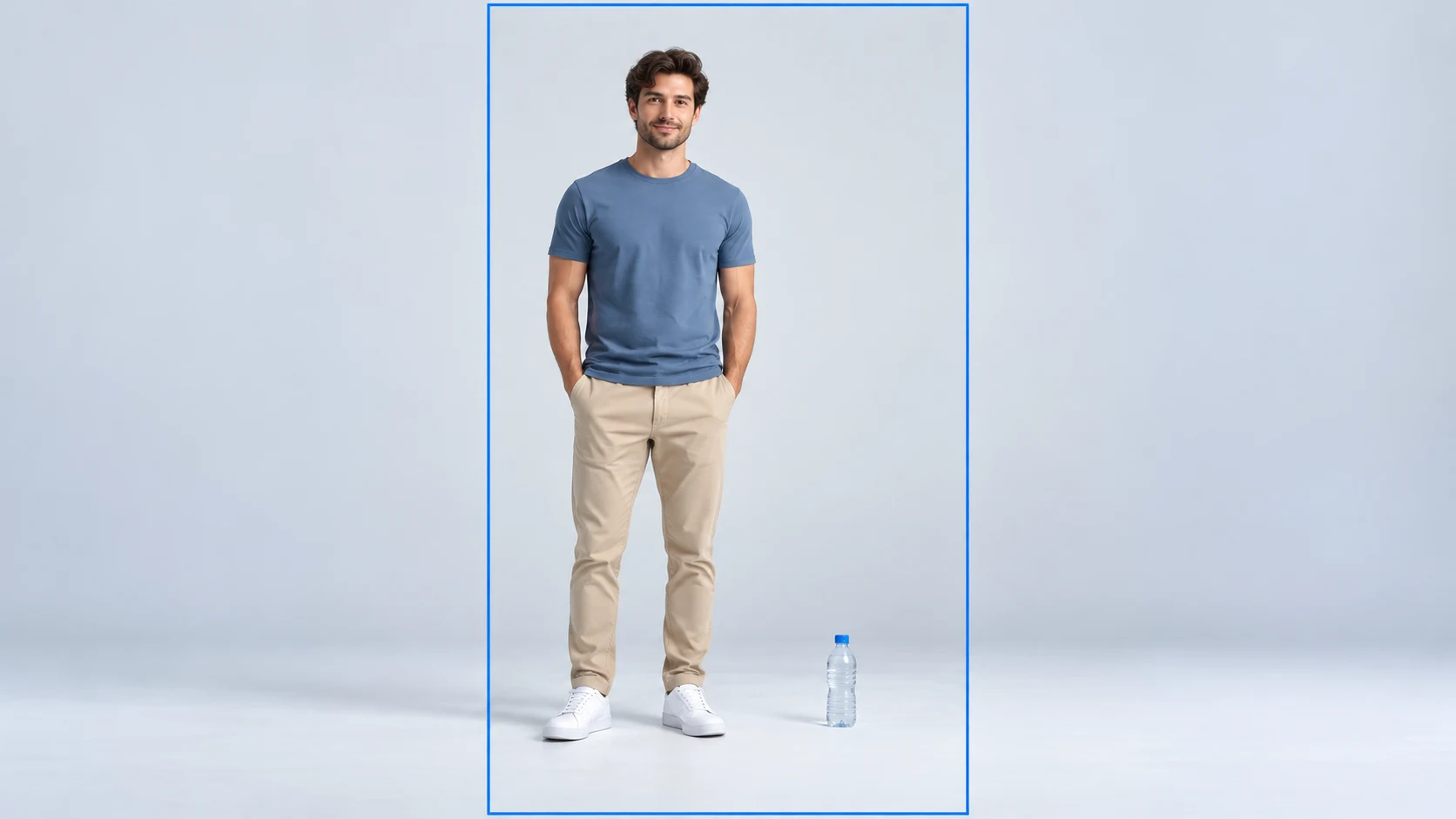
A useful reference image shows the full body, the intended clothing, and an uncluttered floor. Place the bottle where it will remain visible after portrait cropping. Avoid mirrors, other people, school or workplace identifiers, and location details you would not want in a public clip. If the reference is another adult, ask first and explain that the image will be animated and may be posted.
The current Seedance 2.0 Mini catalog lists 4–15 second clips, 480p or 720p output, and several frame ratios including 9:16 and 16:9. Its image-to-video entry supports up to two reference images in the current catalog. Availability, credit cost, and controls may change, so verify the live workspace before generating. A short first draft at a moderate resolution is usually enough to check whether the main action reads.
How to Make a Bottle Kick Challenge Video: Six Steps
The workflow below keeps the task small: choose a safe concept, describe one movement, generate a draft, and review it. You can use the AI Video workspace to compare modes or open the Image to Video workspace directly when you already have an authorized reference image.
Step 1: Choose a fictional or consenting adult subject
Decide whether the scene uses a fictional person or an adult who has agreed to the edit. Do not use a child, a stranger, or a public figure as a way to make the clip more clickable. If you use a real person, confirm permission covers AI animation and the account or platform where you may share the result.
Step 2: Set the bottle and camera position
Describe one lightweight bottle on a clear, level surface. Put it in the lower middle of the frame with enough space around it to see the action. For a first pass, keep the camera at a fixed wide or full-body angle so the foot, bottle, and final pose all fit at once.
Step 3: Pick a mode and aspect ratio
Choose text-to-video for a fictional scene or image-to-video for an authorized adult reference. Select 9:16 for a phone-first post or 16:9 for a landscape edit. Check the model name, duration, resolution, and cost shown in the workspace because those options can change.
Step 4: Write one controlled action
Use a prompt that describes a slow, low tap and a gentle bottle tip. State that the person stays balanced. Add exclusions for high kicks, spinning, falls, injuries, extra limbs, and camera shake. Clear constraints help define the intended scene, although they cannot guarantee how a model will render it.
Step 5: Generate and review a draft
Review the opening, contact, and final frame. Check whether the bottle stays the same size, the foot meets it without passing through, and the person ends in a stable position. If one part fails, change one instruction and try again. Do not keep a take with anatomy errors or an unintentionally violent impact just because the lighting looks good.
Step 6: Edit, disclose, and export
Trim dead time, add a short title or explanatory caption, and use only audio that you are allowed to publish. If the clip looks realistic, use the destination platform’s current AI disclosure controls. Keep a visible “AI-generated scene” caption when helpful, and preview the export on a phone before posting.
Copyable Bottle Kick Video Prompts
A reliable prompt names the subject, setting, camera, action, bottle response, and ending. Keep it to one sequence. The image below maps those pieces into a practical checklist; it is an editorial planning graphic rather than a tested model output.
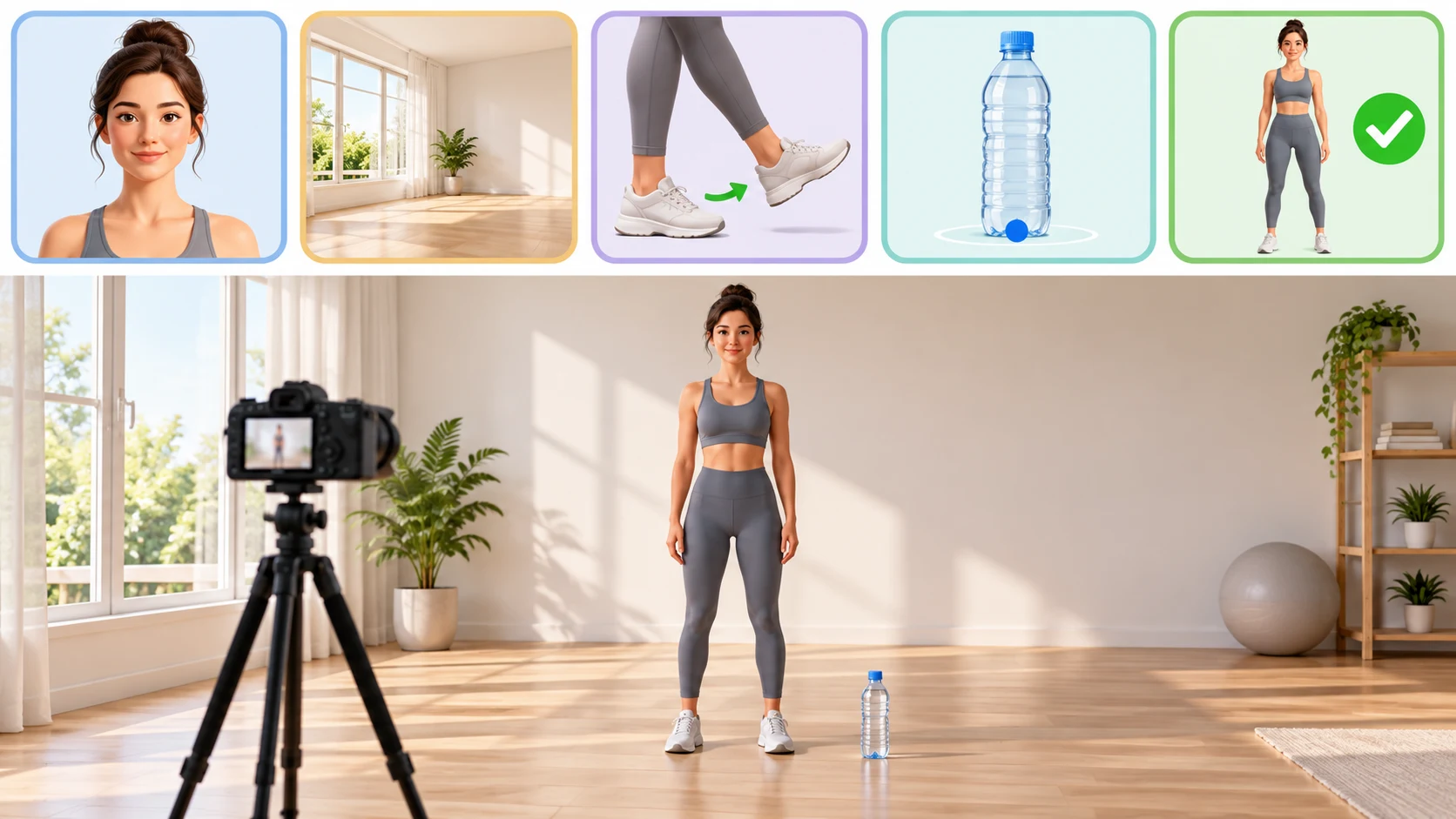
Prompt 1: Fictional martial arts demo
Create a short, clearly fictional AI-generated video of an adult martial artist in a plain training studio. One empty lightweight plastic bottle stands upright on the floor, fully visible in the lower center. In a wide, locked camera shot, the adult makes one slow, low controlled foot tap toward the bottle; the bottle gently tips onto its side. The adult stays balanced and finishes in a relaxed standing pose. Natural proportions, simple lighting, one person, one bottle. No high kick, spinning kick, jump, fall, injury, impact close-up, extra limbs, text, logo, or camera shake.
Prompt 2: Phone-first vertical composition
Generate a vertical 9:16 AI scene with a fictional adult in comfortable training clothes and a single clear empty bottle on a clean indoor floor. Keep the entire person and bottle within the center safe area with space above the head and below the feet. The adult performs one gentle low tap; the bottle rocks and settles on its side. Fixed full-body camera, even light, stable anatomy, calm ending held for a moment. No fast movement, high kick, fall, injury, second person, captions, or watermark.
Prompt 3: Image-to-video with a consenting adult reference
Animate the authorized adult in my reference image in the same clothing and a simple uncluttered room. Preserve the opening pose and overall appearance as closely as the model allows. Keep one lightweight empty bottle visible on the floor. The adult slowly shifts weight, makes one low gentle foot tap, then returns to a balanced standing position as the bottle tips slightly. Locked wide shot, natural lighting, no face replacement, no high kick, no fall, no injury, no extra person, no text or logos.
Prompt 4: Clean three-beat storyboard
Create a three-beat, vertical 9:16 AI storyboard video with one fictional adult and one empty bottle. Beat one: show the adult standing calmly with the bottle visible. Beat two: show one small, slow foot tap and a gentle bottle tip. Beat three: hold a stable finish with the adult upright. Keep the same outfit, room, camera position, and bottle throughout. Simple white studio background, readable action, realistic but clearly synthetic, no dangerous stunt, high kick, spinning, fall, injury, extra limbs, cuts to new locations, text, or brand marks.
Prompt 5: Playful stylized animation
Make a bright, obviously animated short video of a fictional adult cartoon martial artist and one lightweight bottle in a colorful studio. The character makes a small, controlled foot nudge; the bottle wobbles gently and lands on its side. Keep the character upright and smiling in a balanced final pose. Use a fixed wide camera, clear silhouettes, smooth simple motion, consistent character design, and no realistic injury detail. No high kick, jump, fall, extra legs, second bottle, written words, or logos.
These prompts define the intended concept, not a promise that every generation will follow it. If the model adds a leap, makes the kick fast, or creates a dangerous-looking fall, discard that take. A shorter and calmer action often gives the model fewer opportunities to introduce continuity errors.
Image-to-Video or Text-to-Video?
Choose image-to-video when a reference photo should establish the opening frame or a consenting adult’s appearance. A full-body image gives the model more context for a lower-body movement than a close portrait. Keep the action modest, because an image reference does not lock identity or limb position in every generated frame.
Choose text-to-video when you want a fictional adult, a stylized look, or a scene without uploading someone’s photo. The prompt can describe the character and room from scratch, but the result may vary between takes. If the face is not important to the idea, specify a side or rear three-quarter view of a fictional character rather than requesting a real person’s likeness.
A useful comparison is how the visual anchor changes: the image mode begins from a supplied picture, while text mode begins from a written scene description. For a different reference-led workflow that focuses on one object and a simple camera path, see the Roadster ramp food video guide. For a motion-led image-to-video example, read the Chuttamalle AI video guide. Both use different subject matter and do not depict this challenge.
Troubleshoot Common Generation Problems
| Problem | Likely cause | What to try next |
|---|---|---|
| The foot never reaches the bottle | Bottle is too small or near the frame edge | Use a full-body wide shot and place one bottle in the lower center |
| The bottle changes shape or color | Multiple props or vague object description | Specify one clear, empty lightweight bottle and a plain background |
| The leg bends unnaturally | Action is too fast, complex, or partly hidden | Ask for one slow low tap, keep the camera fixed, and regenerate |
| The person loses balance | Prompt stacks a kick and recovery movement | Remove the recovery flourish and ask for a stable standing finish |
| The subject or bottle is cropped | Portrait framing is too tight | Increase the camera distance and leave room below the feet |
| Text or extra people appear | The prompt or reference includes competing details | Simplify the setting and request one adult, one bottle, no text |
Change one variable between attempts. If you change the subject, location, lens, movement, lighting, and camera all at once, it becomes difficult to tell which instruction caused an improvement. Save the best short prompt and remove any phrase that did not visibly help.
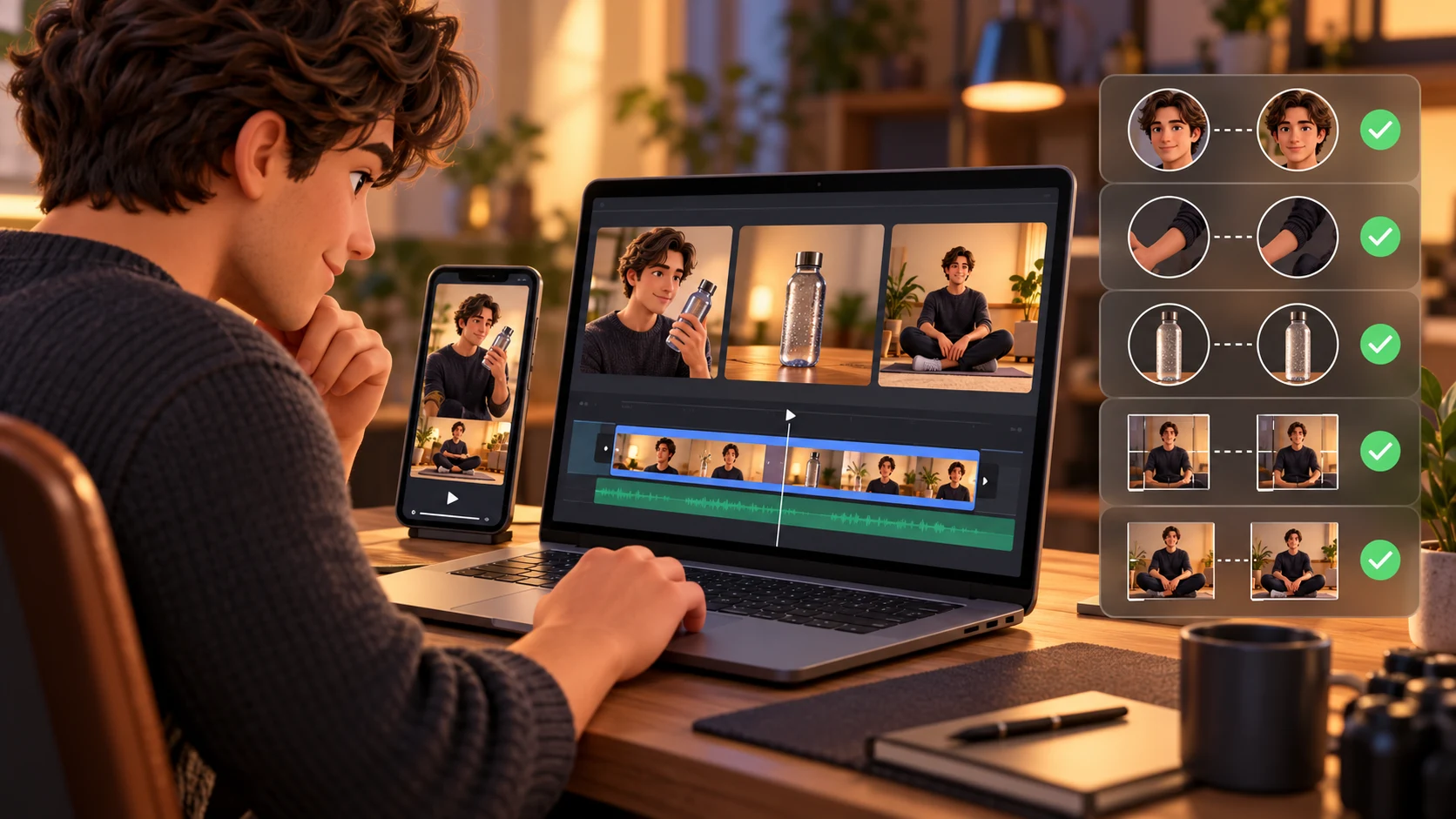
Review the Clip Before Sharing
Watch the clip once at normal speed without pausing. It should be obvious where the bottle is, what the person does, and how the scene ends. Then inspect the opening, contact, and last frame more closely. Check feet, knees, hands, shadows, bottle continuity, and the floor contact. Look for an extra limb, a sudden bottle swap, a camera jump, or an action that looks more forceful than you intended.
Preview the final crop on a phone. Make sure interface controls or captions do not cover the bottle or the foot. If you add text, keep the title brief and leave it on screen long enough to read. A replay or slow-motion edit can change how a synthetic action is interpreted, so use it only when it makes the scene clearer and does not present the animation as real stunt evidence.
The images in this guide and the accompanying workflow clip are generated editorial illustrations. They explain a planning process; they do not demonstrate a successful output from Seedance or another provider. Model behavior depends on the prompt, image, and current service configuration. Review your own exported file rather than assuming a prompt or preview guarantees the final result.
Add Music, Captions, and AI Disclosure
The visual generator and the publishing edit are separate steps. If you want music, choose it through the platform’s current in-product music library or use audio you are licensed to publish. A trending sound being available in one account or region does not guarantee that it is cleared for every use or another platform. A generated soundtrack also does not grant rights to a commercial recording.
Use a caption that identifies the format, such as “AI-generated bottle-kick scene” or “fictional AI storyboard.” If a realistic scene could be mistaken for an actual martial arts demonstration, make the synthetic context clear in the video or caption and follow the platform’s current AI labeling controls. Avoid naming a real athlete as the performer unless that person actually appears and has agreed to the edit.
Keep the post focused on the clip. A useful description can name the three beats, the prompt approach, and the model settings you actually used. Do not claim that the video is real, that a particular person performed it, or that one prompt guarantees a perfect result. If you share a behind-the-scenes explanation, say which images or movements were generated.
Safety and Permission Checklist
An AI-first workflow removes the need to demonstrate a difficult kick, but it still calls for care in how the clip is framed. Do not prompt a real person, child, pet, or identifiable athlete into a scene they did not agree to. Do not use a generated clip to mock, threaten, or falsely depict someone. If using a real adult’s reference image, read the site’s Privacy Policy, remove identifying background details, and confirm the person’s permission before upload and publication.
If you choose to record real footage instead, do not attempt a kick or stunt just to match a trend. Use a qualified adult performer, an appropriate training setting, and an experienced supervisor; keep bystanders and pets away, and stop if the movement or surface is uncertain. A lightweight prop and a controlled camera edit can communicate the idea without a forceful impact. The lower-risk route is to create a fictional AI scene or use a preplanned animation.
Frequently Asked Questions
What is a bottle kick challenge video?
It is a short clip built around a martial-arts-style movement that appears to tap or topple a bottle. People also use the phrase for AI-generated recreations. This guide explains how to plan and generate a clearly labeled fictional scene.
How do I make a bottle kick challenge video with AI?
Plan a setup, one controlled contact, and a balanced finish. Use text-to-video for a fictional adult or an image reference from a consenting adult. Choose vertical framing, write a simple prompt, generate a draft, inspect every frame, then edit the caption and audio before export.
Do I need to kick a bottle in real life?
No. You can make the scene with AI or animation. Avoid attempting a stunt for a camera. If you are making a live-action version, work with a qualified adult performer in an appropriate supervised setting and prioritize a controlled staged effect.
What should I put in the prompt?
Name the adult subject, one bottle, a clear setting, a fixed camera, one slow low tap, a gentle bottle response, and a stable ending. Add exclusions for a high kick, spinning, falls, injuries, extra limbs, text, and logos. Review the result because prompt instructions do not guarantee safe-looking motion.
Which aspect ratio works for TikTok or Reels?
Start with 9:16 portrait. Keep the person and bottle in the center safe area and leave room for captions and controls. Preview the export on a phone since apps can crop or overlay parts of the picture.
Can I use someone else’s photo as the reference?
Only when the adult has agreed to the AI animation and the intended sharing. Public availability does not grant permission. Do not use a child’s image, a stranger’s profile photo, or a real athlete’s likeness without permission.
How long should the clip be?
A short clip is easier to review and keeps the action focused. The current Seedance 2.0 Mini catalog lists 4 to 15 seconds. Check the live model picker and cost before generating, since provider settings can change.
Should I label the video as AI-generated?
When a clip looks realistic, follow the destination platform’s current disclosure control. A clear caption such as “AI-generated scene” can also prevent viewers from mistaking the animation for real stunt footage.
Make Your Bottle Kick Video Read Clearly
Plan three beats, keep the action small, and show the bottle in every important frame. Use a fictional character or a reference image from an adult who has agreed to the edit, then generate a short draft and review the movement before sharing. If the clip looks realistic, identify it as AI-generated and use audio you are allowed to publish.
Open the Image to Video workspace to animate an authorized reference, or start with a fictional subject in Text to Video. You can also browse the AI Video workspace or return to the Trending AI Video home page to choose a mode.